A break reminder
that yields when life does.

A local 20-20-20 rhythm in the menu bar: tune it, trim it, or let it stay out of your way when the day goes sideways.

Private by default. No account required.

The name points at kanso, simplicity without clutter: one quiet job where you already work, not another dashboard.

Why Kanso

Screen work pulls you into near focus for hours. You already believe in looking away; the slip is not laziness. It is that your attention stays on the Mac while reminders live on a phone, in a tab you closed, or in a habit you keep meaning to restart.

Kanso is built for that friction. It does not gamify your eyes, rank your week, or ask for an account. It is a small, local rhythm in the menu bar: nudge on the interval you choose, respect the hours you mark as off, and pause when a call, recording, or fullscreen means popping an overlay would be the wrong move.

Themes, wellness lines, and Shortcuts are extra. Strip it to bare 20-20-20 if you want. What you configure stays on your machine: between you and the display.

In the app

Toggle what you use. No account; reminders stay on your Mac.

20-20-20 Rule

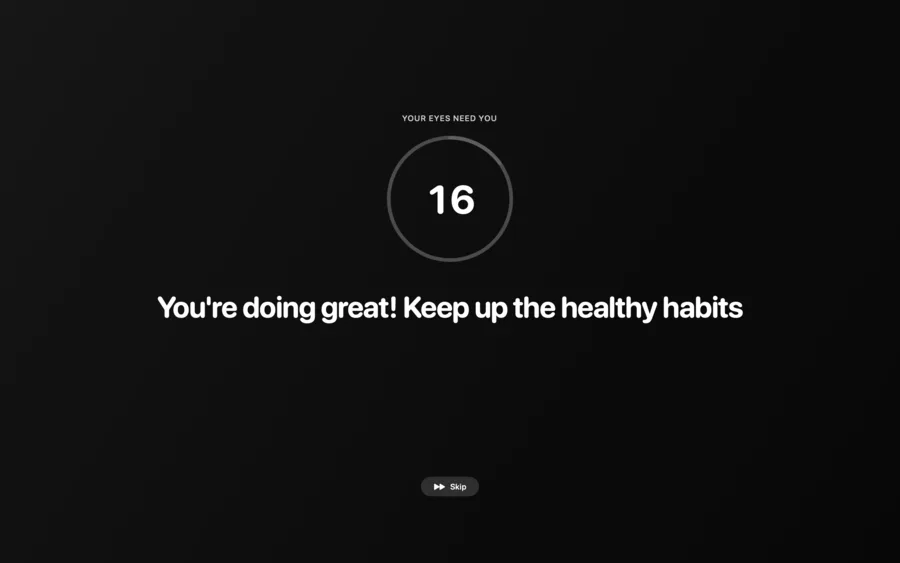
Every 20 minutes, twenty feet, twenty seconds. A simple distance for your eyes, without turning the break into a lecture.

Smart Pause

Senses meetings, calls, recordings, and fullscreen. Reminders wait, then return on their own when the moment passes.

Office Hours

Your week, your boundaries. Outside the hours you set, including weekends, it stays silent.

Wellness Nudges

Posture, water, blinking—only if you want them. Dial the cadence down or switch them off entirely.

Beautiful Themes

Eight gradients from Midnight to Aurora. Pick one and let it fade into the background.

Automations

AppleScript, shell scripts, or Shortcuts at break start or end. Mute Spotify, flip Do Not Disturb, wire it into how you already work.

Getting started: drag into Applications, approve what macOS asks for, pick a preset or define your own intervals. After that, the menu bar item holds timing, pauses, and themes without a maze of screens.

Pay once, own it forever.

No monthly fees, no cloud subscription, no hidden costs — your breaks and settings stay on your Mac. Regular price $10 USD one-time; early birds get 40% off at checkout.

$10 $6 USD

Early bird · one-time · no subscription

FAQ

What is the 20-20-20 rule?

Every 20 minutes, look at something 20 feet away for 20 seconds. That is it. Optometrists came up with it as a simple way to give your eyes a break from near focus, which is what you are doing every time you stare at a screen.

Will it interrupt my calls?

No. Smart Pause watches for Zoom, Meet, Teams, screen recordings, and fullscreen apps, and quietly steps aside. It comes back on its own once you are done.

Why not just use a phone timer?

You could. But you will snooze it, forget it, or silence it mid-call and never turn it back on. Kanso lives in the menu bar, knows when you are in a meeting, and handles all of that automatically.

Can I set my own break schedule?

Yes. Pick a preset like Balanced, Deep Focus, or Eye Care and go, or dial in your own work interval, break lengths, and office hours down to the day of the week.

Does it work across multiple monitors?

Yes. Show the break overlay on all your screens or just the main one. Your call.

How much does Kanso cost?

The regular price is $10 USD, one time — no subscription. Early birds get 40% off at checkout ($6 USD). Use Buy now to purchase and Download to fetch the Mac DMG.

How do I buy and download Kanso?

Choose Buy now to check out on Dodo. Use Download to open the DMG link; both actions use a new browser tab.